

Description
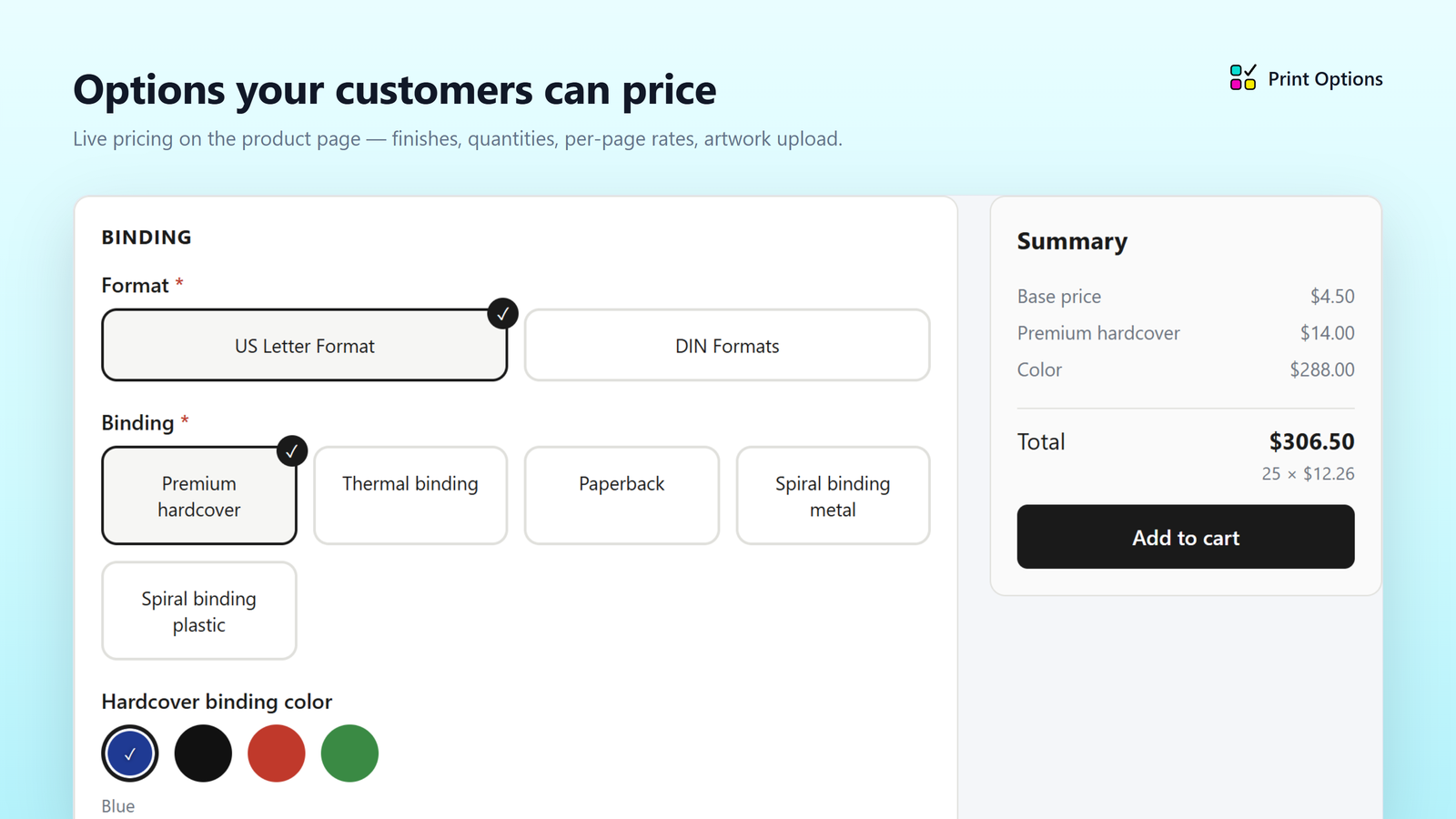
Print Options renders a fast, accessible configurator on your product pages:
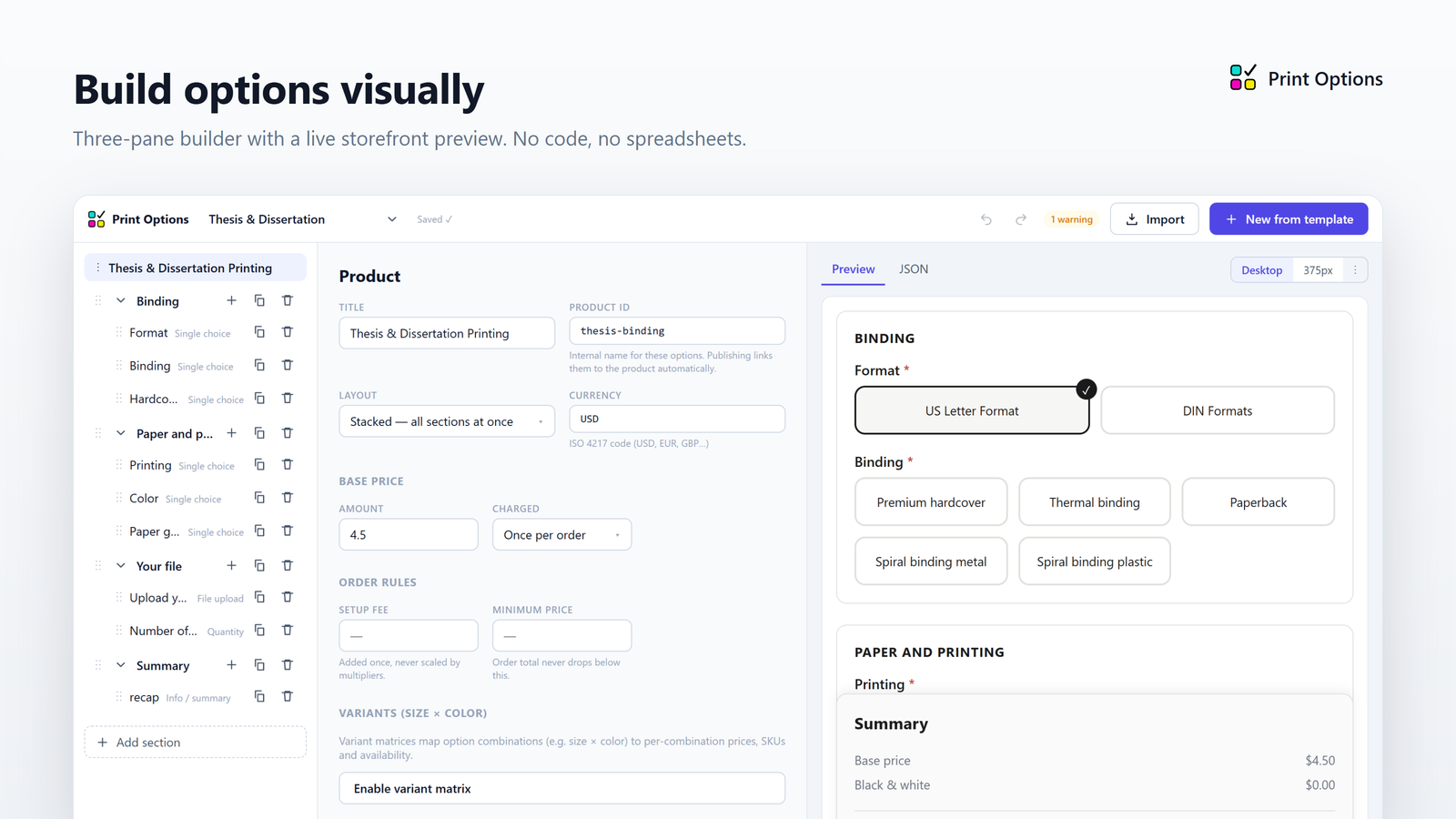
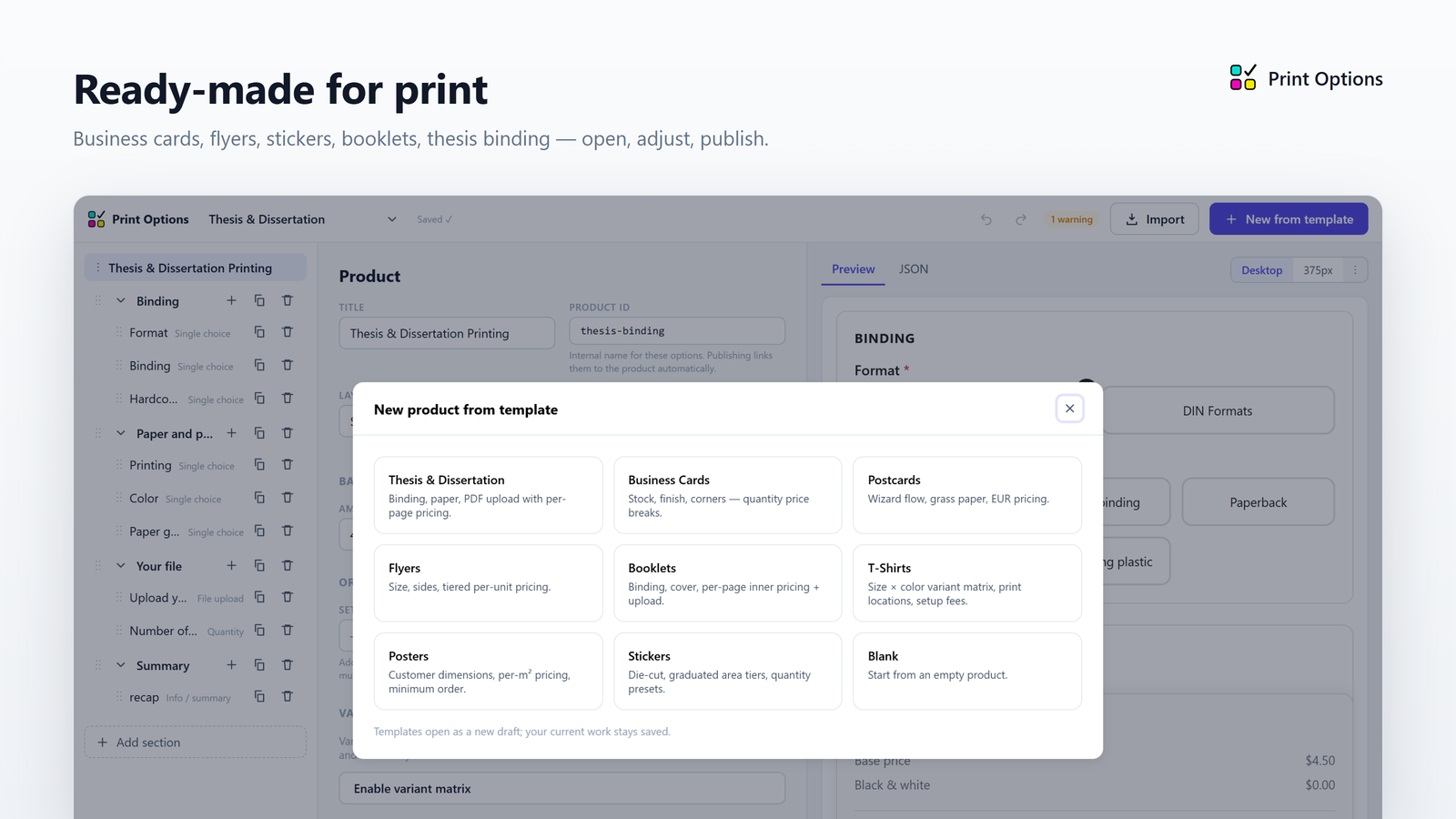
- Visual builder with print-ready templates (business cards, stickers with
area pricing, t-shirt size × color matrices, posters, …) — right inside
your WordPress admin, no JSON anywhere - Live price preview: per-unit, per-page, per-area, quantity breaks
(flat or graduated), setup fees, minimum orders - Conditional options, multi-select finishes, and artwork upload
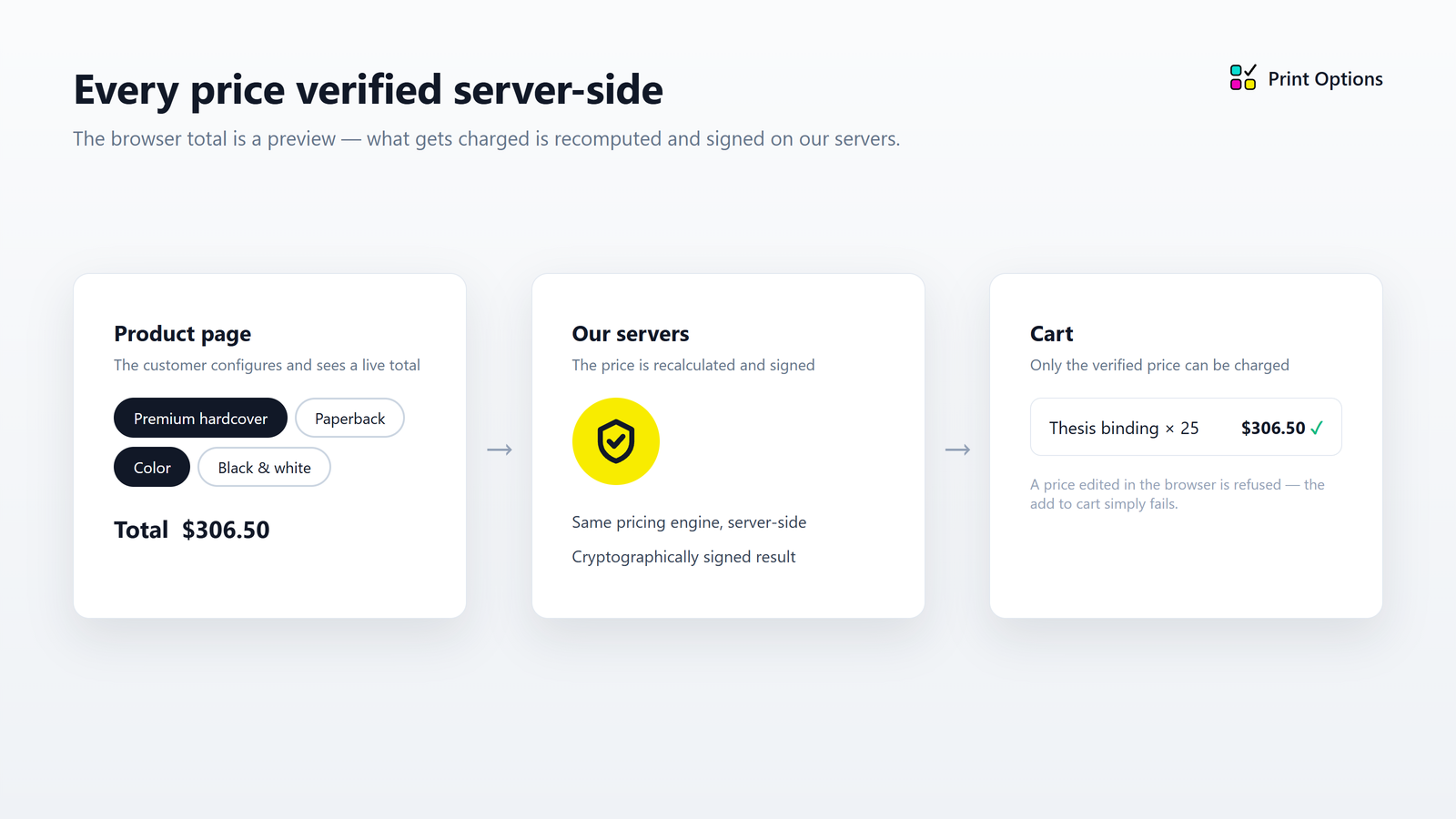
- Prices are ALWAYS re-verified server-side before an item enters the cart —
the browser price is never trusted.
Create your option sets on the Print Options page, then open any product and
pick a set from its Print Options tab — next to Attributes and Variations.
Editing a set later updates every product that uses it.
Requires WooCommerce.
External Services
This plugin connects to the Print.App options service to do its job. No
customer account is required and no personal data is sold or shared.
api.print.app (Print.App API)
- Price verification — when a customer adds a configured product to the
cart, the selected options and the product’s option set are sent
server-to-server so the price can be recomputed independently of the
browser. No customer names, emails or addresses are transmitted. - Artwork upload — when a customer uploads a file, the browser requests a
one-time upload authorization. The file itself goes directly to storage
and is automatically deleted after 30 days. - Option set management — when a shop manager saves or assigns option
sets, the set definition is stored under an anonymous store identifier
(a random ID generated at activation; your site URL host is recorded as
metadata only).
options.print.app (Print.App CDN)
- Published option sets are served from this domain to your product pages
via your server (cached locally for 60 seconds). The visual builder itself
is not loaded from here — it ships with the plugin and runs on your site.
These services are operated by Print.App ApS: https://print.app/
Privacy policy: https://print.app/company/privacy
Terms of service: https://print.app/company/terms
cdn.filecheck.io (Filecheck artwork preflight — optional)
Only used if you enter a Filecheck publishable key in the plugin settings.
Leave that field empty and this service is never contacted.
- When it loads — with a key configured, the product page loads the
Filecheck upload element from this domain for any option set that has an
artwork-check step. - What is sent — the artwork file the customer chooses, and the check
settings for that option set (such as the required size, bleed and page
count). The check result — page count, artwork dimensions and any
warnings — comes back to the page and is stored with the order line so
you can see what was checked. No customer names, emails or addresses are
transmitted.
This service is operated by Filecheck (Print.App ApS): https://filecheck.io/
Privacy policy: https://filecheck.io/company/privacy
Terms of service: https://filecheck.io/company/terms
Source Code
Two files in assets/ are compiled from TypeScript and Vue sources:
- assets/print-configurator.js — the storefront configurator
- assets/builder.js and assets/builder.css — the option-set builder used on
the plugin’s own admin page
The full, human-readable source and the build tooling are available at:
https://github.com/PrintApp/print-options-wordpress
Run npm install, then npm run build in the core-ui package for the
configurator and in the admin package for the builder; the outputs are the
files bundled here unchanged.
Screenshots
Installation
- Upload and activate the plugin.
- Open Print Options Option Sets in your admin sidebar and create an option set from a template.
- Edit a product, open its Print Options tab, and pick the set from the dropdown. Done — the product page now shows the configurator.
FAQ
-
Where do I build the options?
-
Print Options Option Sets, inside your own admin. Start from a template and
adjust the choices and prices to match what you sell. -
Yes — assign the same set on each product’s Print Options tab. Saving the set
once updates all of them. -
Do I need an account or API keys?
-
No. The plugin creates its own anonymous identity when you activate it, and
talks to the service on your server’s behalf. -
What happens if the verification endpoint is down?
-
Adding to cart is refused with a friendly error. The plugin never falls back
to a browser-computed price. -
Is it really free?
-
Yes, with no product or option limits.
-
Can the configurator be translated?
-
Yes. Every label the configurator renders itself (“Summary”, “Add to cart”,
“Drop your file here…”, validation messages) goes through WordPress
translation, so a language pack from translate.wordpress.org, Loco Translate
or a .po file in wp-content/languages/plugins applies. Option names, choices
and help text come from your option set and are written in whatever language
you type them in. To change individual labels from code, use the
papo_widget_strings filter. Prices follow your WooCommerce currency
settings (symbol, position, decimal and thousand separators). -
Can I show a tax note next to the price?
-
The configurator shows the WooCommerce price display suffix (WooCommerce
Settings Tax Price display suffix) under the total. To use different
wording, or to hide it, return your text from thepapo_price_notefilter. -
Why does the product’s own price not match the option set?
-
It is not used. A product with an option set is priced entirely by the set’s
base price and modifiers, re-verified on the server at add-to-cart, and the
product’s regular price is hidden on the storefront. Leave the regular price
at 0 (or any placeholder) and treat the option set as the single source of
truth.
Reviews
There are no reviews for this plugin.
Contributors & Developers
“Print.App Product Options for WooCommerce” is open source software. The following people have contributed to this plugin.
Contributors
Translate “Print.App Product Options for WooCommerce” into your language.
Interested in development?
Browse the code, check out the SVN repository, or subscribe to the development log by RSS.
Changelog
0.4.4
- New: quantity fields can take turns. Add one quantity field per group of
choices, each with a visibility rule (for example a paper that only comes
in three of your set quantities), and the visible one is the quantity that
is priced. Only one quantity field may be unconditional. - Builder: a quantity field can no longer be shown or hidden by the quantity
itself (circular)
0.4.3
- Fix: prices in the configurator ignored the site language — WordPress
locales such as ro_RO were rejected by the browser’s number formatter and
the summary fell back to “RON 10.00” - New: the summary uses your WooCommerce currency format (symbol, position,
separators), so it prints “10,00 lei” exactly as the cart will - New: every configurator label is translatable through WordPress i18n, with
apapo_widget_stringsfilter for per-site wording - New: the WooCommerce price display suffix (for example “incl. VAT”) shows
under the total;papo_price_notesets custom wording - Theming:
::part()hooks for the unit-price line (summary-unit), the
price note (summary-note), summary line labels/values and the choices
recap rows
0.4.2
- New: file upload fields can be set to “Designer only (no direct upload)” –
only connected design tools (for example the Print.App designer) are
offered, without a dropzone - Fix: the configurator sized its text from the page root, so themes that
set the root font size to 62.5% rendered it at roughly 60% of the theme’s
text size – it now follows the surrounding text - Fix: the widget’s numeric inputs no longer shrink on those themes
- Builder: per-length price rules (roll and linear pricing) with length-based
volume breaks
0.4.1
- Fix: option sets with quantity tiers on individual choices (for example
size-dependent price breaks) could not be saved — the values were being
truncated before they reached the server and the save was refused
0.4.0
- The visual builder now ships with the plugin and runs on its own admin page
instead of being embedded from options.print.app - All classes, constants, options, transients, post meta and hooks carry a
PAPO_/papo_ prefix; existing store identity and product assignments are
migrated automatically on update - Configuration submitted with add-to-cart is sanitized value by value
- Filecheck artwork preflight documented under External Services
0.3.0
- Print Options tab on the product edit page — assign a named option set from
a dropdown, no JSON pasting - Embedded visual builder (Print Options Option Sets) to create and manage
option sets - Option sets are served from the CDN and shared across products; editing a
set updates every product that uses it - Anonymous store identity; all management calls are HMAC-signed server-side
0.2.0
- Full add-to-cart bridge with server-side price verification
- Settings page, per-product options metabox, order line persistence
0.1.0
- Initial stub