

Description
LoviPix optimizes every image on your site directly on your web server, with Imagick or GD. Nothing is sent to a third-party service: no API key, no credits to buy, no monthly quota, whether you have 50 images or 50,000.
Compression and WebP
- Local compression of JPEG and PNG files: the original upload and every thumbnail size.
- Automatic WebP for each image, served to visitors through
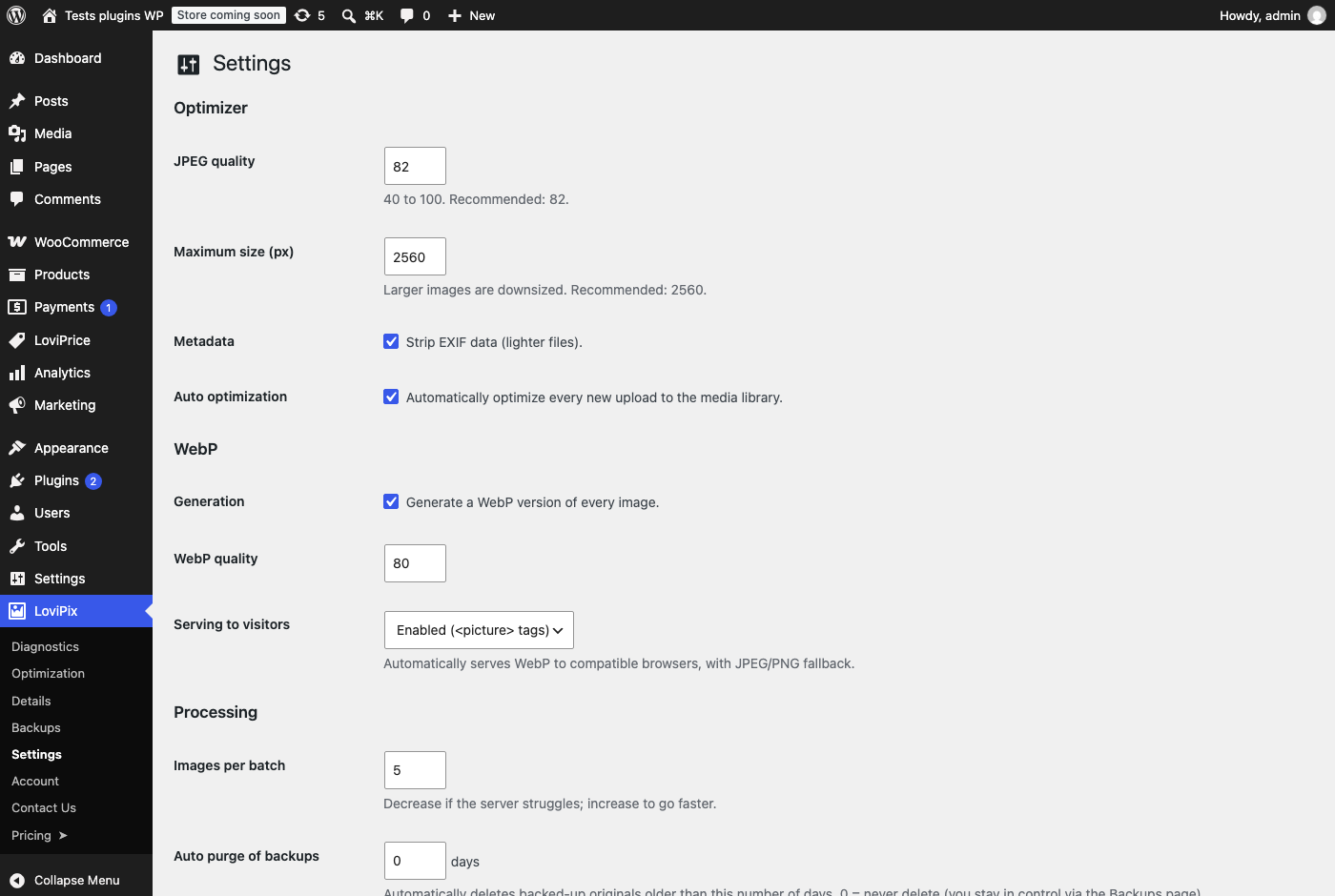
<picture>tags with a JPEG/PNG fallback for older browsers. Works with Elementor, Divi, WPBakery and WooCommerce themes. - Oversized uploads resized: images larger than the maximum size (2560 px by default) are scaled down.
- Metadata removal (EXIF) to save a few more kilobytes, optional.
Automatic and bulk processing
- Every new upload is optimized automatically.
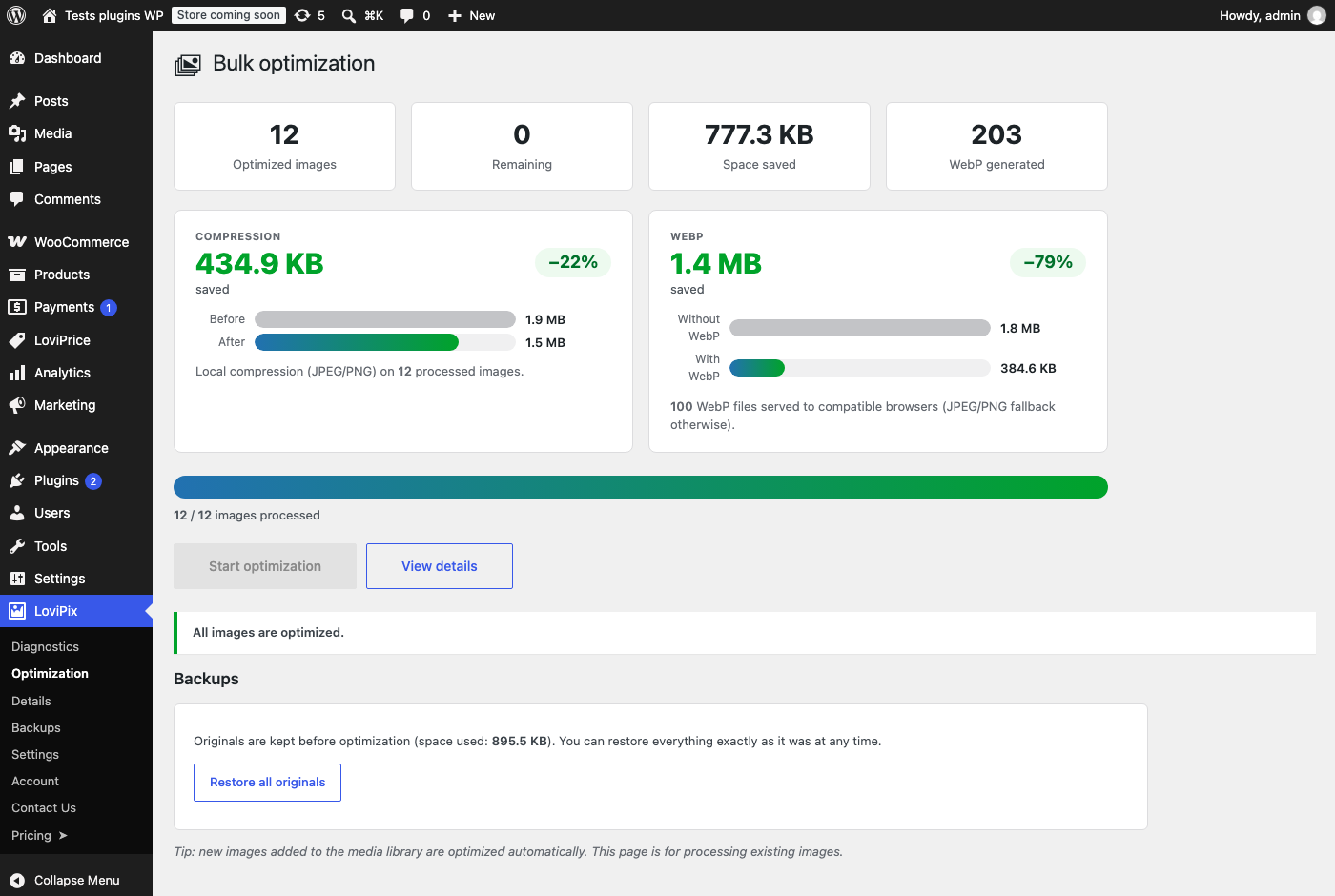
- Bulk optimization of the existing Media Library, in small batches that adapt to your server’s time limit. You can pause and resume at any time.
- Per-image actions in the Media Library: optimize or restore a single image.
Plays well with other optimizers
Images already compressed by Imagify, Smush, ShortPixel or EWWW are not compressed a second time, so there is no double quality loss. LoviPix only adds the missing WebP version and takes over for new uploads. The Diagnostics screen lists the optimizers it finds and explains how to switch cleanly.
Every change can be undone
- Each original is backed up before it is modified.
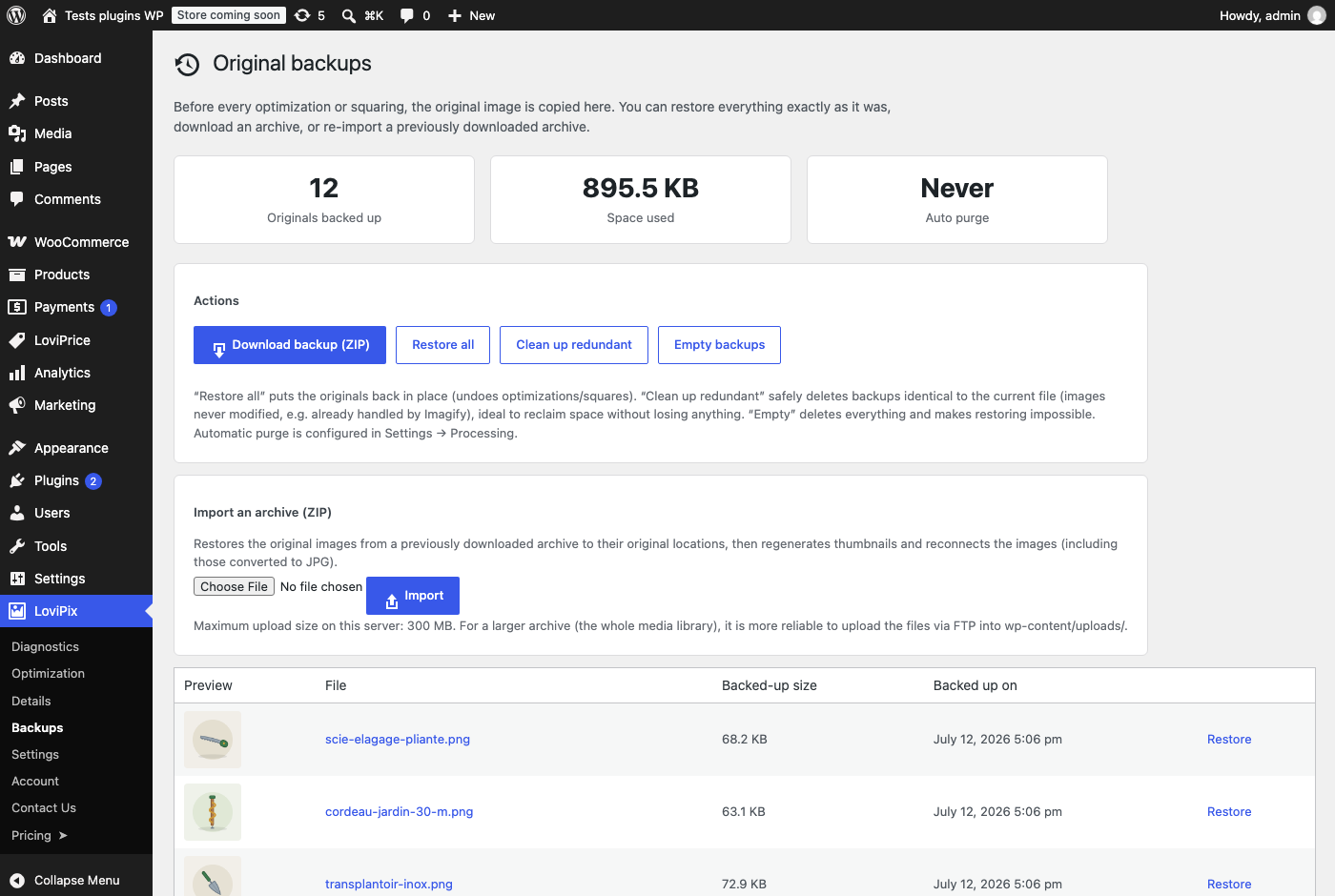
- Restore one image or the whole site, export your backups as a zip file and import them back.
- Purge backups manually or automatically after a number of days you choose, and clean up backups identical to the current file to reclaim disk space.
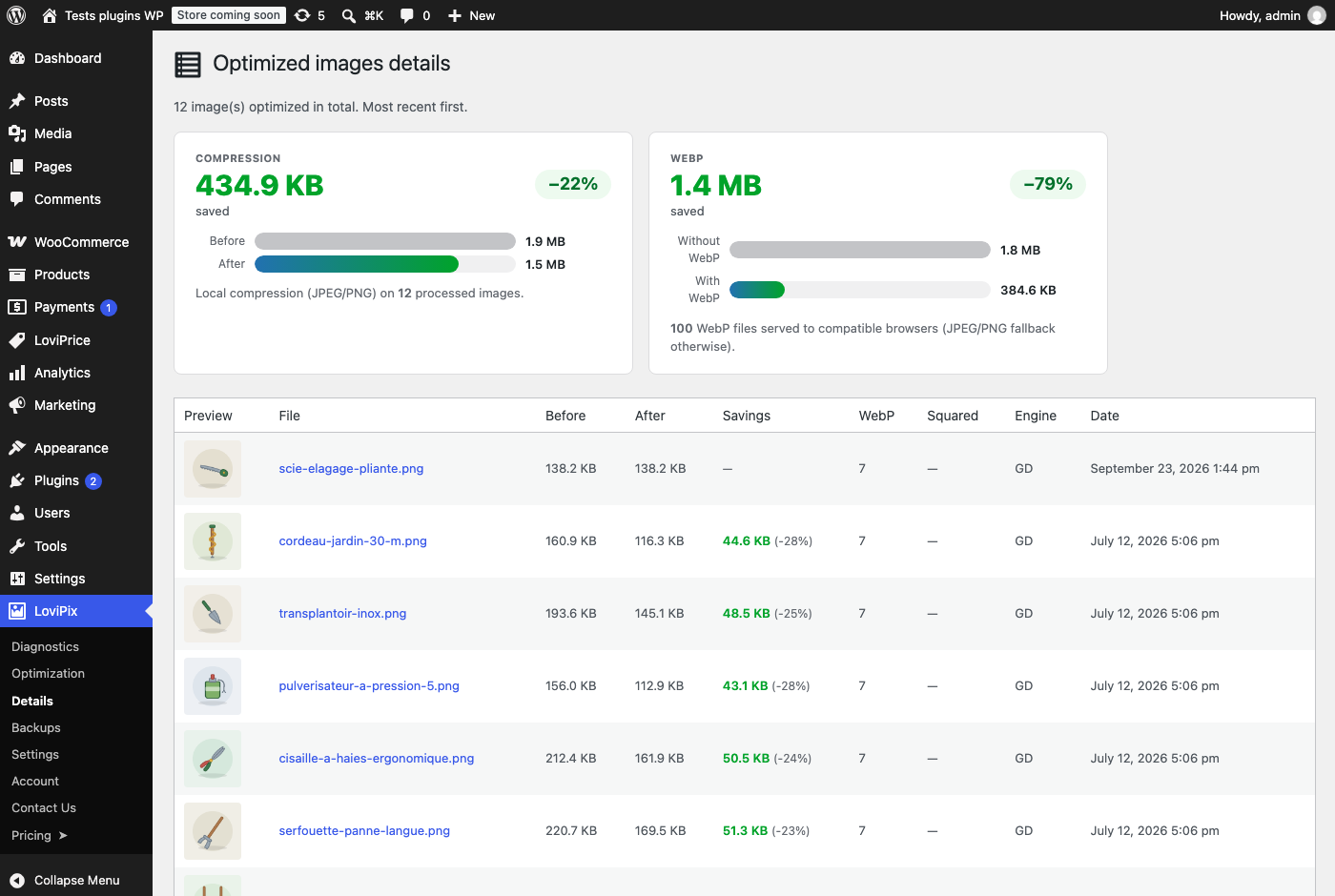
Real statistics
Size before and after, actual WebP savings for your visitors, and a detailed log image by image.
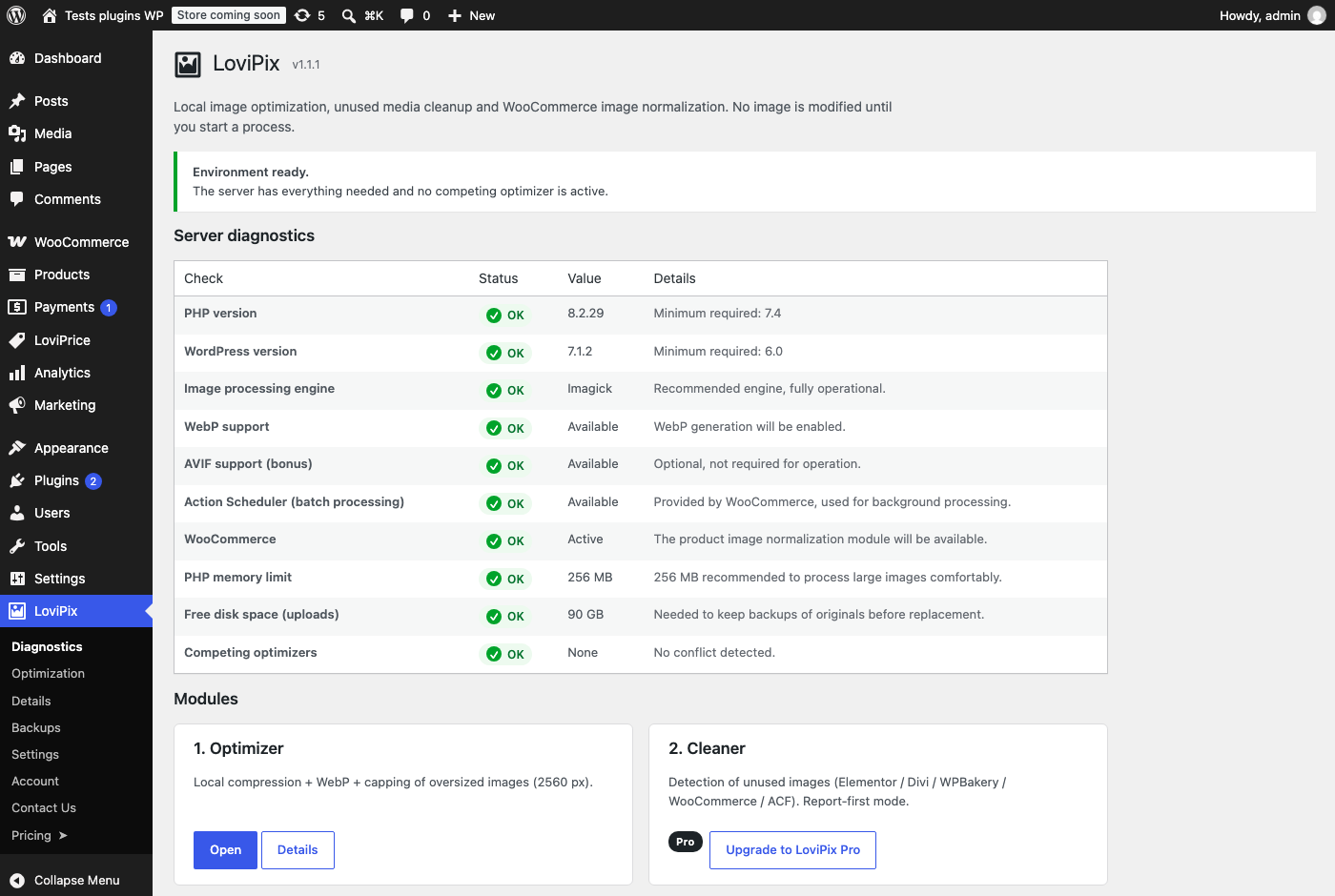
Server diagnostics
The dashboard checks your server before you start: PHP and WordPress versions, image engine (Imagick or GD), WebP and AVIF support, PHP memory, free disk space and other image optimizers, with a clear explanation for each point.
LoviPix Pro
LoviPix Pro adds three modules for WooCommerce stores and heavy Media Libraries:
- Unused image cleaner: finds images that are not used anywhere (content, galleries, Elementor, WooCommerce, term meta, options, logo, favicon…). Report mode first, and every deletion is backed up and can be restored.
- Square WooCommerce product images: main image and gallery resized to a square of the size you choose, with a background color or a centered crop, for a perfectly aligned catalog.
- SEO renaming: clean file names, titles and alt text built from the product name and brand. Every URL already stored in the database is rewritten, so nothing breaks, and the renaming can be undone.
Privacy
LoviPix does not send your images or your content anywhere. All processing happens on your server.
The plugin uses the Freemius SDK for licensing and updates of the Pro version. It only sends data to Freemius if you choose to opt in when the plugin asks, and you can skip that step. See the Freemius privacy policy.
Screenshots
Installation
- In your WordPress admin, go to Plugins Add New and search for “LoviPix”, or upload the plugin zip file.
- Activate LoviPix, then open the LoviPix menu and read the Diagnostics screen (image engine, WebP support, conflicting plugins).
- Adjust the quality and options in LoviPix Settings. The defaults suit most sites.
- Start the bulk optimization in LoviPix Optimization. Originals are backed up automatically.
FAQ
-
Are my images sent to an external server?
-
No, never. Compression and WebP conversion run on your own hosting with Imagick or GD. There is no quota and no API subscription.
-
Is there a limit on the number of images?
-
No. The free version has no quota, no credits and no size limit per month.
-
Can I undo the optimization?
-
Yes. Each original is backed up before it is modified. The Backups screen lets you restore a single image or the whole site, export backups as a zip file, or purge them to free disk space.
-
I already use Imagify, Smush or ShortPixel. What happens?
-
LoviPix detects them on the Diagnostics screen. Images they already compressed are not compressed again: LoviPix only adds a WebP version and handles new uploads. You can then deactivate the other plugin.
-
Which image engine is used?
-
Imagick when it is available and complete, otherwise GD. The Diagnostics screen shows which one is used and whether it supports WebP. Most hosting providers support both.
-
Does LoviPix work with page builders and WooCommerce?
-
Yes. WebP images are served through
<picture>tags in the final HTML of the page, which also covers content generated by Elementor, Divi, WPBakery and WooCommerce. -
My server is slow or has a short time limit. Is that a problem?
-
No. Bulk optimization works in small batches and adapts to the time available on your server. You can reduce the batch size in Settings, and resume processing at any time.
-
What does LoviPix Pro add?
-
An unused image cleaner, square WooCommerce product images and SEO renaming of product images. See LoviPix Pro.
Reviews
There are no reviews for this plugin.
Contributors & Developers
“LoviPix – Local Image Optimizer & WebP” is open source software. The following people have contributed to this plugin.
Contributors

Translate “LoviPix – Local Image Optimizer & WebP” into your language.
Interested in development?
Browse the code, check out the SVN repository, or subscribe to the development log by RSS.
Changelog
1.1.2
- Security: the folder holding original backups now has a random, per-site name and denies direct web access.
- The free version only contains its own features; translations are provided by translate.wordpress.org.
1.1.1
- Sites upgrading from WPix (the plugin’s former name) keep their settings, statistics, per-image tracking, original backups and license.
1.1.0
- New: LoviPix is now available as a free version (compression, WebP, bulk processing, backups) and a Pro version (unused image cleaner, square WooCommerce product images, SEO renaming). Existing Pro licenses keep every feature.
- New: the plugin is in English, with a complete French translation.
- Improvement: dates follow the date and time format set in WordPress.
- Improvement: server error messages in the bulk screens can now be translated.
- Fix: with a lazy loading plugin (WP Rocket, LiteSpeed Cache, Perfmatters, Smush, lazysizes…), the WebP version of each image was downloaded as soon as the page opened, which cancelled lazy loading. The WebP source now uses the same lazy loading attributes as the image.
1.0.1
- Fix: squaring WooCommerce product images skipped source images in WebP or GIF format. They are now handled like JPEG and PNG.
1.0.0
- First public release: local JPEG/PNG compression and WebP served through
<picture>tags, bulk processing with restorable backups, unused image cleaner (report mode), square WooCommerce product images (background color or centered crop), SEO renaming (file, title and alt) with URL rewriting, detection of other optimizers (Imagify, Smush, ShortPixel, EWWW).