Title: Post Grid Blocks & Templates for News, Magazine, & Blog Sites – PostX
Author: WPXPO
Published: 28, Payares de 2019
Last modified: 12, Payares de 2026
---
Guetar plugins
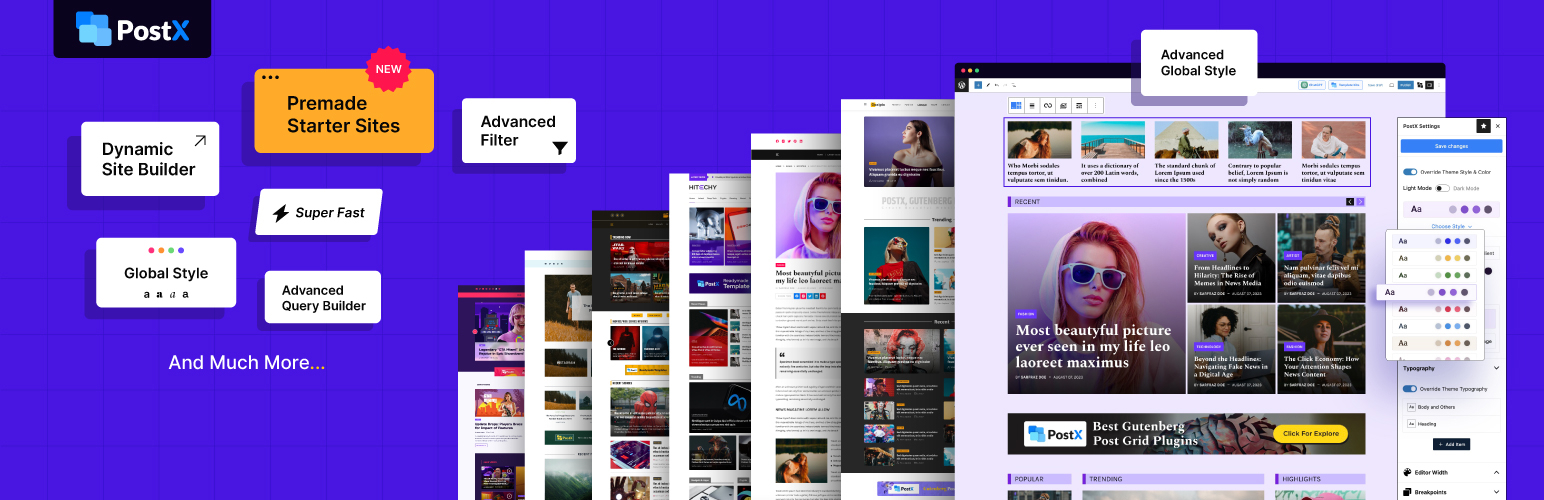

# Post Grid Blocks & Templates for News, Magazine, & Blog Sites – PostX
By [WPXPO](https://profiles.wordpress.org/wpxpo/)
[Download](https://downloads.wordpress.org/plugin/ultimate-post.5.1.7.zip)
* [Details](https://ast.wordpress.org/plugins/ultimate-post/#description)
* [Reviews](https://ast.wordpress.org/plugins/ultimate-post/#reviews)
* [Installation](https://ast.wordpress.org/plugins/ultimate-post/#installation)
* [Development](https://ast.wordpress.org/plugins/ultimate-post/#developers)
[Support](https://wordpress.org/support/plugin/ultimate-post/)
## Description
🥇 A Post Grid plugin for WordPress blogs, news, and magazine websites
📄 Display
your blog posts, pages, and custom post types with **Post Grids, Post Lists, Post
Sliders, Post Carousels, Post Modules, and more**. 💕 Built by **WPXPO**, used by
thousands of websites 📞 Dedicated support team ready to help
😲 [**View Demo**](https://trypostx.wpxpo.com/) | 🔥 [**PostX Pro**](https://www.wpxpo.com/product/postx/)
| 📃 [**Starter Templates**](https://www.wpxpo.com/product/postx/templates/) | 📦
[**All Blocks**](https://www.wpxpo.com/product/postx/features/blocks/)
PostX is a post grid plugin for WordPress that helps you build news, magazine, and
blog layouts in the block editor. Display posts in customizable grids and lists,
start with free templates and patterns, or choose PostX Pro for additional designs
and advanced features.
### Watch PostX in Action
### Free Blocks and Features in PostX
The free version includes 35 Gutenberg blocks, 24+ patterns, 30+ templates, and
5 starter sites. These provide a starting point for designing your blog within the
WordPress editor.
✅ **Post Grid:** Choose from seven post grid blocks to display articles in grid-
based sections.
✅ **Post List:** Use four post list blocks to arrange articles in list formats.
✅ **Post Slider and Post Module:** Show posts in two slider blocks and two module
blocks.
✅ **News Ticker:** Display headlines in a vertical or horizontal ticker.
✅ **Search:** Add an Ajax-powered search block to help visitors find posts.
✅ **Advanced Filter:** Let readers filter posts by category, tag, author and order
without a page reload.
✅ **Pagination:** Add Load More, numeric, or next/previous navigation to post blocks.
✅ **Menu:** Build navigation menus with the Menu block.
✅ **Taxonomy, Dark/Light and YouTube Gallery:** List categories and tags, add a
dark mode switch, and show videos from a YouTube channel or playlist.
✅ **Row and Wrapper:** Structure page sections and group related blocks.
✅ **Heading and Image:** Add section titles and images to your layouts.
✅ **List and Button Group:** Present lists and add buttons that guide readers to
another page.
✅ **Image Gallery:** Display multiple images together in a gallery.
✅ **Accordion:** Place supporting content inside expandable sections.
✅ **Tabs:** Organize content into separate tabs.
✅ **Star Rating:** Display a rating alongside your content.
✅ **Social Icons:** Add links to your social profiles.
✅ **Table of Contents:** Help readers jump to headings within longer posts.
✅ **Dynamic Site Builder:** Create custom home, single-post, archive, category,
tag, author, search, date and 404 templates, plus headers and footers with display
conditions.
✅ **Dynamic Content:** Insert post data such as excerpts, dates, and author names
into PostX blocks.
✅ **Custom Font:** Upload custom fonts and use them in PostX blocks with typography
controls.
✅ **Saved Templates:** Create unlimited reusable templates by converting Gutenberg
block designs into shortcodes.
✅ **Page Builder Integrations:** Reuse designs through Saved Templates with Elementor,
Divi, WPBakery, Oxygen, Bricks Builder, and Beaver Builder.
✅ **Free Starter Sites:** Import an available free starter site and customize its
content and design.
✅ **Free Templates and Patterns:** Insert available free page templates and section
designs into your layouts.
### Pro Blocks and Design Library in PostX
PostX Pro is a separate plugin that adds designs and blocks on top of the free plugin,
including 189+ Pro patterns and 36 ready-to-import starter sites.
⭐ **Premium Post Designs:** 44+ grid, 46+ list and 17+ slider designs in the pattern
library.
⭐ **Extra Block Layouts:** Additional layouts for the post grid, list, module,
slider, taxonomy and dark/light blocks.
⭐ **Premium Starter Sites:** Import complete designs for news, magazine, travel,
food, and other content websites.
⭐ **Premium Templates and Patterns:** Build sections with Pro patterns and additional
page templates.
### Additional Features in PostX Pro
PostX Pro adds these features alongside the free blocks and builder.
⭐ **Mega Menu:** Add mega menu panels with custom layouts and content to the Menu
block.
⭐ **News Ticker Types:** Add Marquee and Typewriter tickers and a sticky ticker
position.
⭐ **Quick Query:** Use presets such as Trending Today, Weekly Popular Posts, Top
of the Month, and Most Comments.
⭐ **More Filters:** Add search, advanced sort and custom taxonomy filters to the
Advanced Filter block.
⭐ **Infinite Scroll:** Load additional posts as visitors scroll through supported
post blocks.
⭐ **Unique Content Groups:** Prevent the same posts from appearing across multiple
blocks.
⭐ **Dynamic Content Integrations:** Display field data from ACF, Meta Box, and
Pods with Pro support.
⭐ **Front End Post Submission:** Let writers submit posts from the front end without
using the WordPress dashboard.
⭐ **Reading Progress Bar:** Display a visual indicator of how far readers have
scrolled.
⭐ **Taxonomy Image and Color:** Assign images and colors to categories, tags, and
custom taxonomies.
⭐ **SEO Plugin Integrations:** Display meta descriptions from supported plugins,
including Yoast, Rank Math, All-in-One SEO, SEOPress, and Squirrly.
Explore [**PostX Pro**](https://www.wpxpo.com/product/postx/) for the additional
designs and features.
### Why Use PostX for Your Blog?
**Build Where You Already Write**: Build layouts in the WordPress editor.
**Give Each Section a Clear Purpose**: Organize stories into grids, lists, and topic
sections.
**Start with a Premade Design**: Customize free designs or choose premium designs
with Pro.
**Customize Your Post Displays**: Adjust block settings and preview responsive layouts.
### Learn How to Build a News Website with PostX
### What Reviewers Say
Check out what Paul C (WPTuts) had to say about PostX.
Check out the video of
Jack Cao and learn how to create a News Magazine Website for free. Check out how
Alyssa creates a complete news website in minutes using PostX.
### Translations
PostX plugin is compatible with WPML Plugin and also it works perfectly with loco
translate plugin.
You can Translate PostX on [translate.wordpress.org](https://translate.wordpress.org/projects/wp-plugins/ultimate-post/).
### Liked PostX?
* Join our [Facebook Group](https://www.facebook.com/groups/gutenbergpostx).
* Learn from our tutorials on [YouTube Channel](https://www.youtube.com/channel/UC9I7kzTtG31YlWdG3iL42Jg).
### More Plugins by WPXPO
Explore other WPXPO plugins for your website or WooCommerce store.
➕ **WowAddons:** Add product options and custom fields to WooCommerce products.
🎯 [**WowRecommend:**](https://www.wpxpo.com/product/wowrecommend/) Create WooCommerce
product recommendations with flexible filters, sorting, and AI-assisted rule creation.
🧲 **WowOptin:** Create popups and opt-in forms.
💸 **WowRevenue:** Create WooCommerce discount campaigns and product offers.
📦 [**WholesaleX:**](https://wordpress.org/plugins/wholesalex/) Manage wholesale
pricing and B2B selling in WooCommerce.
📄 [**WowInvoice:**](https://wordpress.org/plugins/wow-pdf-invoices-packing-slips/)
Create PDF invoices and packing slips for WooCommerce orders.
🚚 [**WowShipping:**](https://wordpress.org/plugins/wow-table-rate-shipping/) Set
up table rate shipping rules for WooCommerce.
💝 [**WowStore:**](https://wordpress.org/plugins/product-blocks/) Build and customize
WooCommerce store pages.
### Author
Developed by [WPXPO](https://www.wpxpo.com). [Contribute to Gutenberg Post Blocks on Bitbucket](https://bitbucket.org/wpstabon/ultimate-post/src/dev/)
and join the party.
### Development
The matching human-readable JavaScript, React and stylesheet sources for this package
are included in `src/`. The plugin root includes the build inputs: `package.json`,`
package-lock.json`, `webpack.config.js`, `gulpfile.mjs`, `generate-style-schema.
cjs`, `.babelrc`, `tsconfig.json` and `eslint.config.mjs`.
To rebuild the frontend, block editor, dashboard and setup assets, use a Node.js
version matching the `engines` requirement in `package.json`, run `npm ci`, then
run `npm run build-release:ci`. Run `npm run build-package:ci` to create the installable
ZIP. These sources and build inputs travel with the package, including changes that
have not yet reached a public repository branch.
The public development repository is available below. It can contain changes beyond
this package; use the included sources when rebuilding this package:
https://bitbucket.org/wpstabon/ultimate-post/src/dev/
### Cookies and post view counts
By default, PostX counts views on single-post pages and sets a first-party cookie
named `ultp_view_` for each viewed post. The cookie stores the value `1`
and expires after 24 hours. The post ID is part of its name; it contains no visitor
name or email address. While that cookie is present, repeat visits from the same
browser do not increase that post’s counter. View totals are stored in post metadata
in your WordPress database.
To stop PostX from setting new view-count cookies and updating these counters, open
PostX > Settings > General Settings, enable “Disable Post View Cookies”, and click“
Save Settings”. Existing cookies are not deleted by this setting; they expire after
their original 24-hour lifetime or can be cleared in the browser.
When a visitor clicks the Dark/Light toggle, PostX sets a first-party preference
cookie named `ultplocalDLMode` to `ultpdark` or `ultplight`. It remembers that choice
for 60 days and contains no visitor name or email address. The browser uses the
current hostname and the current page’s default directory path because PostX does
not specify a Domain or Path attribute. This preference cookie is separate from
post view counting and is not affected by “Disable Post View Cookies”. Changing
the preference refreshes its 60-day lifetime; visitors can remove it through their
browser’s cookie controls.
### Privacy
PostX sets two first-party cookies, described under “Cookies and post view counts”
above. It also contacts the external services listed below. Each entry under External
services says when a request is made, what is sent, and links the service’s terms
and privacy policy.
* PostX template service (WPXPO): starter sites, patterns, designs and premade
templates, only when you open Starter Sites, Site Builder, the editor’s “Template
Kits” / “Builder Library” button or a block’s “Ready-made Design” button, or
import an item. Never on activation or on the dashboard Home screen.
* WordPress.org: when you import a starter site with “Install required plugins”
selected.
* Google Fonts: only after you turn on “Enable Remote Google Fonts” in PostX settings.
It is off by default.
* YouTube: help videos when you press play, YouTube Gallery blocks, and oEmbed
data for featured videos.
* Vimeo: video popup playback and oEmbed data for featured videos.
Social share buttons open the sharing site only when a visitor clicks one. Nothing
is sent before the click.
### External services
**Activation and the PostX dashboard Home screen do not automatically request the
WPXPO template catalogue or its remote preview images.** Template-screen requests,
opt-in Google Fonts, configured YouTube and Vimeo media, and remote media retained
in imported content are described below.
PostX connects to the services below. Each entry says when, what is sent, and links
the service’s terms and privacy policy.
#### PostX template service (WPXPO)
Starter sites, patterns, designs and premade builder templates are loaded from `
postxkit.wpxpo.com`, a WPXPO service. The library is large and updated regularly,
so it is hosted on this service and loaded when you open these screens; they have
nothing to show without it. PostX contacts it **only when you open one of these
screens yourself**:
* PostX > Starter Sites in the dashboard.
* PostX > Site Builder in the dashboard.
* The “Template Kits” button (or “Builder Library” on builder templates) in the
block editor toolbar.
* A post block’s “Ready-made Design” button in the block editor.
It is also contacted when you preview or import an item from those screens. It is
not contacted on activation, on the dashboard Home screen, on other dashboard tabs,
in the background, or on your site’s front end. Lists are cached locally; a missing
or empty list is fetched when you open one of the screens above, and a starter-site
cache at least two days old is refreshed when you open one of them.
The starter-site list and the premade design list come from two different addresses.
Your server requests each one separately and saves the answer in `wp-content/uploads/
ultp/`:
* `https://postxkit.wpxpo.com/wp-json/importer/site_lists` returns the starter-
site list. The request sends the PostX version.
* `https://postxkit.wpxpo.com/wp-json/restapi/v2/design` returns the premade design
list. The request sends no PostX data.
Previewing or importing a single item uses further requests to the same host: `https://
postxkit.wpxpo.com/wp-json/restapi/v2/single-template` and `https://postxkit.wpxpo.
com/wp-json/restapi/v2/single-design` from your browser, and `https://postxkit.wpxpo.
com//wp-json/importer/single` and `.../importer/site_all_posts` from
your server. PostX sends these requests only to the `postxkit.wpxpo.com` host, over
HTTPS.
The data sent depends on the request: starter-site list and content requests include
the PostX version; individual template and design requests include the selected
item ID; import requests can also include a request type. The selected starter site
is identified by its service URL. When PostX Pro is active, applicable import and
editor requests may also include its stored licence key. The editor licence field
is otherwise empty. The design-list request has no PostX request body. PHP requests
also use WordPress’s default HTTP User-Agent, which includes the WordPress version
and site URL; the service receives the server’s IP address and normal request headers.
Your browser requests preview images only on the screens listed above, as those
images render, before an import is selected. Clicking a starter site to preview
it loads that site’s live demo in a frame from `postxkit.wpxpo.com`. Direct browser
requests expose the browser’s IP address and standard HTTP request information,
which may include the referring page. Imported content can retain remote image or
media URLs; viewing that content can continue to contact the corresponding host
after import. Starter-site imports can also install plugins from WordPress.org (
see below). [Terms](https://www.wpxpo.com/terms-and-conditions/) | [Privacy Policy](https://www.wpxpo.com/policy/privacy/)
#### WordPress.org (plugin installs)
When you import a starter site with “Install required plugins” ticked (the plugins
are listed first), PostX downloads those plugins from WordPress.org through WordPress’s
own installer and activates them. PostX identifies each required plugin by its slug
and uses WordPress’s standard plugin-information and download requests. WordPress.
org receives the server’s IP address and normal WordPress HTTP headers, which can
include the WordPress version and site URL. The dashboard’s “Our Plugins” tab installs
nothing: its Install and Activate buttons open WordPress’s own plugin screens, where
you choose what to do. [WordPress.org Privacy Policy](https://wordpress.org/about/privacy/)
#### Google Fonts
Remote Google Fonts are off by default, including on upgrades. PostX sends no request
to Google until you turn on “Enable Remote Google Fonts” in PostX settings. After
you turn it on, pages, the editor, and font previews that use Google Fonts may request
stylesheets from `fonts.googleapis.com` and font files from `fonts.gstatic.com`.
Each of these requests sends the visitor’s IP address and standard browser request
information, plus the requested font family and variants. No Google account is required.
Turn the setting off to stop PostX from generating or outputting these remote font
requests, and clear any page or CDN caches after changing it. System fonts and fonts
you upload locally remain available without this setting; PostX does not automatically
download Google Fonts for local hosting. [Google Fonts Terms](https://developers.google.com/fonts/terms)
| [Google Terms of Service](https://policies.google.com/terms) | [Google Privacy Policy](https://policies.google.com/privacy)
| [Google Fonts privacy FAQ](https://developers.google.com/fonts/faq/privacy)
#### YouTube (Google)
Dashboard, setup-wizard and tutorial help videos load their YouTube player after
you click play. Configured YouTube Gallery blocks behave differently: opening their
editor preview or rendering them on your site can automatically request video data
from `www.googleapis.com/youtube/v3/` and thumbnails from YouTube image hosts such
as `img.youtube.com` and `i.ytimg.com`, before a visitor presses play. The Data
API requests include the configured API key and channel or playlist ID, or the configured
handle as a channel-search query, together with request/count options. Cached video
lists can reduce some API requests but do not always prevent channel lookups.
Gallery players can load while previewing a configured gallery, depending on its
layout and playback settings; popup players load when selected. The editor’s YouTube
player URL explicitly includes the editor site’s origin (scheme, hostname and port).
Browser API, thumbnail and player requests expose the browser’s IP address and standard
HTTP information, which may include the referring page. A YouTube account is not
required for visitors to view a configured gallery.
Post blocks that show a featured YouTube video can also ask WordPress to fetch oEmbed
metadata while the page is rendered, before playback, unless a cached …
## Screenshots
[⌊Post query settings for selecting and ordering content.⌉⌊Post query settings for
selecting and ordering content.⌉[
Post query settings for selecting and ordering content.
[⌊Pagination settings for supported post blocks.⌉⌊Pagination settings for supported
post blocks.⌉[
Pagination settings for supported post blocks.
[⌊Ajax post filtering by category and tag.⌉⌊Ajax post filtering by category and
tag.⌉[
Ajax post filtering by category and tag.
[⌊Post Slider block with responsive images.⌉⌊Post Slider block with responsive images
.⌉[
Post Slider block with responsive images.
[⌊Starter sites for news, magazine, and blog websites.⌉⌊Starter sites for news,
magazine, and blog websites.⌉[
Starter sites for news, magazine, and blog websites.
[⌊Premade post block designs.⌉⌊Premade post block designs.⌉[
Premade post block designs.
[⌊Post block layout variations.⌉⌊Post block layout variations.⌉[
Post block layout variations.
[⌊PostX addons, including free tools and separate Pro features.⌉⌊PostX addons, including
free tools and separate Pro features.⌉[
PostX addons, including free tools and separate Pro features.
[⌊Table of Contents block settings and designs.⌉⌊Table of Contents block settings
and designs.⌉[
Table of Contents block settings and designs.
[⌊News Ticker block for displaying headlines.⌉⌊News Ticker block for displaying
headlines.⌉[
News Ticker block for displaying headlines.
[⌊Reusing PostX designs with Elementor and Saved Templates.⌉⌊Reusing PostX designs
with Elementor and Saved Templates.⌉[
Reusing PostX designs with Elementor and Saved Templates.
## Blocks
This plugin provides 47 blocks.
* Heading
* Image
* News Ticker
* Post Grid #1
* Post Grid #2
* Post Grid #3
* Post Grid #4
* Post Grid #5
* Post Grid #6
* Post Grid #7
* Post List #1
* Post List #2
* Post List #3
* Post List #4
* Post Module #1
* Post Module #2
* Post Slider #1
* Table of Contents
* Taxonomy
* Wrapper
* Advanced Post Meta
* Archive Title
* Post Author Box
* Post Next Previous
* Post Author Meta
* Post Breadcrumb
* Post Category
* Post Comment Count
* Post Comments
* Post Content
* Post Date Meta
* Post Excerpt
* Post Featured Image/Video
* Post Reading Time
* Post Social Share
* Post Tag
* Post Title
* Post View Count
* List
* Button
* Dark Light
* Filter Select
* Filter Search Adv
* Filter Clear
* Advanced Search
* Youtube Gallery
* Post Slider
## Installation
#### Minimum Requirements
* WordPress 6.0 or greater
* PHP version 7.4 or greater
* MySQL version 5.6 or greater
#### Automatic installation
Automatic installation is the easiest option as WordPress handles the file transfers
itself and you don’t even need to leave your web browser.
1. Go to your WordPress Plugin installation menu (Dashboard > Plugins > Add New)
2. In the search field type PostX and press enter.
3. Click “Install Now” and then “Activate”
#### Manual installation
For Manual installation, you download our product from WordPress directory uploading
it to your web-server via your FTP or CPanel application.
1. Download the plugin and unzip it
2. Using an FTP program or CPanel upload the unzipped plugin folder to your WordPress
installation’s wp-content/plugins/ directory.
3. Activate the plugin from the Plugins menu (Dashboard > Plugins > Installed Plugins)
within the WordPress admin.
#### Upgrading
Automatic update working great for this plugin. If you customize the plugin make
sure to store a backup before update.
Sometimes because of the permalink issue during the plugin update, just go to WordPress
> Settings > Permalinks and hit the ‘Save’ button.
## FAQ
Find answers about the block editor, free designs, Pro features, and support.
### Is PostX a Gutenberg blocks plugin?
Yes. PostX adds blocks and design tools to the WordPress block editor for building
news, magazine, and blog layouts.
### Do I need coding knowledge to use PostX?
No. You can add blocks, import available designs, and customize layouts through
the editor settings.
### Are all templates and patterns free?
No. The free plugin includes a selection of starter sites, templates, and patterns.
Premium designs require PostX Pro.
### Do I need PostX Pro to use the free plugin?
No. Everything in the free plugin works without PostX Pro. PostX Pro is a separate
plugin that adds the features and designs listed under PostX Pro above.
### Where can I request new features?
We are available on the WordPress support forum.
### Where can I report bugs and contribute to the project?
Bugs can be reported on the WordPress support forum.
### Does PostX support WordPress 5.x?
No. PostX requires WordPress 6.0 or greater and PHP 7.4 or greater.
## Reviews

### [Love PostX for My Blog!](https://wordpress.org/support/topic/love-postx-for-my-blog/)
[Garry](https://profiles.wordpress.org/zivcomp/) 17, Setiembre de 2026 1 reply
Seriously, if you're looking to make your WordPress blog or magazine site look amazing
without pulling your hair out over code, you HAVE to check out PostX. It's packed
with so many awesome Gutenberg blocks that let you create beautiful post grids,
lists, and sliders in minutes. I especially love the ready-made starter sites –
they gave me a fantastic starting point and saved me tons of time. The post filtering
and search are super smooth too, making it really easy for visitors to find what
they're looking for. The developers clearly put a lot of thought into this, and
it shows. Highly recommended for anyone wanting a professional-looking blog!

### [PostX](https://wordpress.org/support/topic/postx-3/)
[ivandelhoyo](https://profiles.wordpress.org/ivandelhoyo/) 9, Setiembre de 2026
1 reply
Llevo un tiempo probándolo y la verdad es que me ha gustado bastante. Tiene muchas
opciones para mejorar cómo se muestran los contenidos y, una vez te haces con él,
es bastante cómodo de usar.

### [Powerful Post Plugin](https://wordpress.org/support/topic/powerful-post-plugin/)
[Suryakant Nirbhay](https://profiles.wordpress.org/jupitertech72/) 8, Setiembre
de 2026 1 reply
A powerful and flexible plugin with plenty of customization options. It made managing
and displaying my posts much easier.

### [Great Plugin for Content Websites](https://wordpress.org/support/topic/shipping-is-finally-easy/)
[mikefury](https://profiles.wordpress.org/mikefury/) 31, Agostu de 2026
PostX has been a really useful plugin for my WordPress site. It makes it much easier
to create professional post grids, lists, sliders, and category layouts without
needing custom code. The blocks are flexible, easy to customize, and look great
on both desktop and mobile. It has helped me improve the design and browsing experience
of my content pages quickly. Highly recommended

### [Excellent support from Shahriar](https://wordpress.org/support/topic/excellent-support-from-shahriar/)
[shuaibch](https://profiles.wordpress.org/shuaibch/) 30, Agostu de 2026 1 reply
A big thank you to Shahriar from the PostX team for the care and effort he put into
investigating a complex issue on my website. He took the problem seriously, kept
me informed and worked hard on a fix. I really appreciate the personal attention
and dedication. It’s reassuring to know there’s a helpful support team behind the
plugin. Highly recommended!

### [Fantastic Market-leading Post Plugin](https://wordpress.org/support/topic/fake-14-day-money-back-guarantee/)
[warcommons](https://profiles.wordpress.org/warcommons/) 28, Agostu de 2026 1 reply
Fantastic post plugin gives you every template you need. It doesn't matter if you
want to run a magazine style website, a news website, or anything and everything
you imagine. With PostX you can make your website exactly the way you want! The
support is also impeccable where a small glitch was fixed with great priority and
speed. An outstanding all-round post plugin to set and forget your website design.
[ Read all 265 reviews ](https://wordpress.org/support/plugin/ultimate-post/reviews/)
## Contributors & Developers
“Post Grid Blocks & Templates for News, Magazine, & Blog Sites – PostX” is open
source software. The following people have contributed to this plugin.
Contributors
* [ WPXPO ](https://profiles.wordpress.org/wpxpo/)
* [ Anik Biswas ](https://profiles.wordpress.org/anik4e/)
* [ Jakir Hasan ](https://profiles.wordpress.org/jakirhasan/)
“Post Grid Blocks & Templates for News, Magazine, & Blog Sites – PostX” has been
translated into 5 locales. Thank you to [the translators](https://translate.wordpress.org/projects/wp-plugins/ultimate-post/contributors)
for their contributions.
[Translate “Post Grid Blocks & Templates for News, Magazine, & Blog Sites – PostX” into your language.](https://translate.wordpress.org/projects/wp-plugins/ultimate-post)
### Interested in development?
[Browse the code](https://plugins.trac.wordpress.org/browser/ultimate-post/), check
out the [SVN repository](https://plugins.svn.wordpress.org/ultimate-post/), or subscribe
to the [development log](https://plugins.trac.wordpress.org/log/ultimate-post/)
by [RSS](https://plugins.trac.wordpress.org/log/ultimate-post/?limit=100&mode=stop_on_copy&format=rss).
## Changelog
#### 5.1.7 – 12 November 2026
* Update: The PostX dashboard Home screen no longer contacts the PostX template
service or loads remote preview images. The service is contacted only when you
open Starter Sites, Site Builder, the editor’s Template Kits / Builder Library
button or a block’s Ready-made Design button
* Update: The readme scopes the activation and dashboard Home statement to the
WPXPO template catalogue and preview images, while retaining the external-service
and remote-media disclosures
#### 5.1.6 – 09 November 2026
* Update: Post List #4 draws Load More and its navigation itself. They no longer
depend on an add-on
* Update: Remote Google Fonts is off until “Enable Remote Google Fonts” is turned
on in PostX settings. It was on by default before
* Update: Responsive hide rules, Title Hover Effects and Animation Color, the date
formats of Post Date Meta and Advance Post Meta, and the News Ticker time badge
format are provided by PostX Pro. Free keeps its default output and shows upgrade
cards for the rest. Requires PostX Pro 1.11.0 or later
* Update: The readme has a Privacy section, and External services lists what each
service receives and when
* Fix: The first-image output of Post List #1 is filtered before it is printed
* Fix: The Archive Title background URL in layout 2 is encoded, so it cannot add
CSS declarations
* Fix: Core upgrader files are no longer included directly
#### 5.1.5 – 04 November 2026
* Fix: CSS printed or saved by the plugin is checked with a CSS sanitizer that
keeps only declarations WordPress allows, so it cannot close its style tag or
load scripts
* Update: PostX Pro now draws the filter bar of Post Grid #5, #6, #7, Post List#
4 and Post Module #1, #2, the Post Grid #5 navigation, the navigation below the
posts in Post Grid #6, #7 and Post Module #1, and the Load More and navigation
of Post List #4. If you use PostX Pro, update it as well to keep them
* Update: A saved Mega Menu block is shown like any other block
* Fix: The Builder screen shows the Condition button again
* Fix: The YouTube Gallery Inline layout thumbnail loads on case-sensitive servers
#### 5.1.4 – 01 November 2026
* Fix: The Search block’s live results require a valid front-end nonce and list
only published posts of public post types
* Fix: Admin requests check the security nonce and the user’s permission as two
separate steps
* Fix: Custom font uploads check the media uploader’s nonce and the user’s permission
* Fix: Site Builder templates, the template shortcode, page-builder modules and
inline CSS are escaped with WordPress’s own wp_kses() and wp_strip_all_tags()
* Fix: The video popup works in Site Builder templates, AJAX pagination and the
template shortcode
* Fix: Advanced Filter keeps the block’s Taxonomy Relation
* Fix: Shape Divider previews show in the Row block’s Type dropdown
* Update: In Site Builder templates and the template shortcode, posts embedded
from X, Instagram and TikTok show as a quote with a link, because their loader
script is no longer printed
#### 5.1.3 – 28 October 2026
* Fix: Site Builder templates, the template shortcode and AJAX pagination no longer
print inline scripts from the rendered content; embeds from X, Instagram and
TikTok keep working
* Fix: Escaping for the CSS printed by the Oxygen, Bricks, Elementor and Divi modules,
and for the dark logo and custom font URLs
* Fix: Block and preset CSS is escaped so it cannot close its style tag
* Fix: Bricks wrapper attributes are filtered before they are printed
* Fix: Social Share buttons in Site Builder templates open the share window and
count shares again
#### 5.1.2 – 27 October 2026
* Fix: Saved Templates actions check the permission for each template; changing
the template wishlist, dark logo and global settings requires an administrator
* Fix: Escaping in every block’s output, the template shortcode and the page-builder
modules
* Fix: Sanitizing and security checks for request data across the plugin
* Update: Plugin-prefixed names for two internal actions and for some stored settings;
existing data is moved automatically
* Fix: The builder template’s widget area list shows only sidebars the theme provides
* Fix: Starter site import skipped every page when a builder template was published
* Fix: Starter site import sets the dark logo when none is saved, and replacing
a starter site no longer leaves a broken dark logo
* Fix: AJAX pagination after a category filter click now stays filtered
* Fix: Breadcrumb on child pages shows Home and every parent page
* Fix: Advance Post Meta tag links point to the right archive
* Fix: Featured video caption is kept when the post is saved without it
* Fix: Template favourites show in the editor’s design library
* Fix: Regenerate CSS keeps custom fonts when Google Fonts are disabled
* Fix: Bricks builder shows the template placeholder for an empty PostX element
#### 5.1.1 – 22 October 2026
* Update: Shorter, clearer External services section in the readme
* Update: Readme lists the blocks and features included in the free plugin, and
describes PostX Pro only as additions
#### 5.1.0 – 04 October 2026
* Update: Now requires WordPress 6.0 and PHP 7.4
* Update: Readme now lists every external service PostX connects to, and Pro features
are labelled
* Update: Third-party licence notices now ship with the plugin
* Fix: ChatGPT requests are sent from your server, so the OpenAI key is no longer
exposed in the browser
* Fix: SVG font uploads are sanitized and allowed only for custom fonts
* Fix: Builder premade import accepts only the PostX template service
* Fix: Escaping in the post filter, Archive Title, Dark/Light and Advanced Filter
output
* Fix: Expired security tokens now recover instead of failing requests
* Fix: Accessible names for icon-only social links
#### 5.0.41 – 16 September 2026
* Fix: Pattern library filter navigation showing incorrectly on homepage
#### 5.0.40 – 13 September 2026
* Fix: Unauthenticated custom fields disclosure issue in Dynamic Content addon (
reported by Pedro Pinho via WPScan)
#### 5.0.39 – 09 September 2026
* Fix: Minor bug fixes and performance improved.
#### 5.0.38 – 30 August 2026
* Fix: Advanced Filter block current post ID detection issue causing incorrect
filtering inside Query Loop and Builder templates
#### 5.0.37 – 27 August 2026
* Fix: Undefined data type error in block editor when saving widget blocks
#### 5.0.36 – 25 August 2026
* Update: WordPress 7.0 compatibility updated.
#### 5.0.35 – 12 August 2026
* Fix: Search block optimized with debounced input, cancelled stale requests, output
escaping, and input validation
* Fix: Search popup now opens on the first search and resets pagination when the
search term changes
* Fix: Builder panel now scrolls to top on navigation
* Fix: Range field issue in the dashboard settings
* Fix: Add-ons toggle menu visibility
* Fix: Plugin page broken design fix
#### 5.0.34 – 22 July 2026
* Fix: Infinite loop issue fixed for Post List 2 block
* Fix: Infinite loop issue fixed for Post List 3 block
* Fix: Infinite loop issue fixed for Post List 4 block
#### 5.0.33 – 19 July 2026
* Fix: Improved HTML attribute escaping in the PostX Search block for enhanced
security and WordPress coding standards compliance.
#### 5.0.32 – 07 July 2026
* Fix: Post grid 7 Css issue
#### 5.0.31 – 01 July 2026
* Fix: Dashboard responsive issue
* Fix: WordPress submenu license routing issue
#### 5.0.30 – 01 July 2026
* Fix: Block validation error issue
#### 5.0.29 – 30 June 2026
* Fix: Infinite scroll support added to Post Grid 1, 2, 3 and Post List 1, 2, 3,
4 (this feature is now provided by PostX Pro)
#### 5.0.28 – 22 June 2026
* Fix: Dashboard user experience updated
#### 5.0.27 – 18 June 2026
* Fix: Dashboard banner updated
#### 5.0.26 – 11 June 2026
* Fix: Dashboard Notice issue
#### 5.0.25 – 10 June 2026
* Fix: Setup wizard improved
* Fix: Advanced list padding issue
#### 5.0.24 – 04 June 2026
* Fix: WordPress 7.0 compatibility updated
#### 5.0.23 – 04 June 2026
* Fix: Tab block caret issue
* Fix: Row block sticky issue
* Fix: Post block title EM unit issue
* Fix: WordPress 7 compatibility issue
* Fix: Advanced Filter translation issue
* Fix: Button block layout 4 gradient issue
* Fix: Post Slider title link issue (Layouts 1 & 2)
* Fix: Taxonomy block layout 3 background color issue
#### 5.0.22 – 18 May 2026
* Fix: Advanced filter & Saved template compatibility issue
#### 5.0.21 – 12 May 2026
* New: Added tutorials section to the dashboard
* New: Added tutorials for block settings
#### 5.0.20 – 11 May 2026
* Fix: Undefined attribute issue in Advanced Filter block
#### 5.0.19 – 10 May 2026
* Fix: Tab Block pattern support issue
* Fix: Tab Block content mismatch issue
* Fix: Enhanced CSS compatibility for block themes
* Fix: Advanced Filter Search block icon issue
#### 5.0.18 – 06 May 2026
* Fix: List block spacing issue
* Fix: Dark light block logo color issue
* Fix: Query builder unwanted query removed
* Fix: Block Theme Editor width conflict issue
#### 5.0.17 – 26 April 2026
* Fix: Advanced filter dynamic label issue
* Fix: Advanced filter tag inline view issue
* Fix: Advanced filter reset button nameing issue
* Fix: Advanced filter postid removed from backend
#### 5.0.16 – 16 April 2026
* Fix: Starter pack Dark/Light mode css optimized
#### 5.0.15 – 15 April 2026
* Fix: Optimized ajax request handling using apiFetch
* Fix: Synchronized dark/light mode in the starter pack
#### 5.0.14 – 08 April 2026
* Fix: Advanced Filter issue
#### 5.0.13 – 07 April 2026
* Fix: Post Grid 2 Video popup issue
* Fix: Post Comment Block Vulnerability Patched
* Fix: Advanced Filter ASC/DESC translation issue
* Fix: Advanced Filter Custom taxonomy block issue
#### 5.0.12 – 01 April 2026
* Fix: Image Block Cover issue
* Fix: Starter pack typography issue
* Fix: Block theme css conflict issue
* Fix: Advanced Filter inline categories not visible
#### 5.0.11 – 12 March 2026
* Fix: Tab Block deprecated issue
#### 5.0.10 – 8 March 2026
* Fix: News ticker block query field issue
* Fix: Duplicate wp_head issue on Builder template
* Fix: Typography settings Font family searching issue
* Fix: Starter Pack preview mobile break point updated
* Fix: Advanced filter and Archive builder conflict issue
#### 5.0.9 – 25 February 2026
* New: Post Block inline video optimized
* Fix: SSRF vulnerability in Starter pack importer
* Fix: Pagination nonce conflict with cache plugins
* Fix: Advanced Filter orderby conflict with pagination
#### 5.0.8 – 23 February 2026
* Fix: Menu Item icon broken issue
* Fix: Compatibility issue with older PHP versions
#### 5.0.7 – 22 February 2026
* Fix: PostX button block attribute issue
#### 5.0.6 – 2 February 2026
* Fix: Post Grid 5 layout broken
* Fix: License page Upgrade to pro issue
* Fix: Advanced Filter block default order
* Fix: Post Share Count vulnerability patch
* Fix: Author filter block author value issue
* Fix: Gallery and Taxonomy block responsive issue
* Fix: Server requests secured against vulnerabilities
* Fix: Advanced Filter block inline settings enhancements
* Fix: Single select for Category, Tags, and Custom Taxonomy filter block
#### 5.0.5 – 22 December 2025
* Fix: Menu icon issue
#### 5.0.4 – 17 December 2025
* Fix: Svg icon color issue
* Fix: WordPress 6.9 compatibility
* Fix: Toolbar deprecation issue
* Fix: Starter site font family issue
* Fix: Dynamic Content patchstack issue
* Fix: Post grid block font size unit issue
* Fix: Scroll to top after click block Navigation
* Fix: Post Block pagination patchstack issue
#### 5.0.3 – 25 November 2025
* New: YouTube Gallery block
#### 5.0.1 – 05 November 2025
* Fix: Dashboard menu broken issue
* Fix: Image block caption setting issue
* Fix: Accordion block rendering issue on frontend
#### 5.0.0 – 04 November 2025
* New: Tab block
* New: Gallery Block
* New: Replace All Svg Icon with new Icon Pack
* New: Post List, Grid Block transferable option added
* New: Block Settings Panel with new updated Field
* Update: Dashboard UI and Setup wizard
* Fix: Deprecated warning issue
#### 4.1.40 – 29 October 2025
* Fix: WowOptin template compatibility improved with PostX Starter Pack
#### 4.1.37 – 6 August 2025
* Fix: Plugin installation access control issue
* Fix: Video autoplay issue in post blocks
#### 4.1.36 – 5 August 2025
* Fix: Post Comment Blocks Placeholder updated
* Fix: Preset accessibility issue
#### 4.1.35 – 22 July 2025
* Fix: Builder post comment block only manually approved comment showing issue
#### 4.1.34 – 21 July 2025
* Fix: Builder template import issue
* Fix: PostX Block video inline playing issue
#### 4.1.33 – 16 July 2025
* Fix: Archive builder specific condition removing issue
#### 4.1.32 – 15 July 2025
* Fix: License page user experience improved
#### 4.1.31 – 18 June 2025
* Fix: Notice updated
#### 4.1.30 – 28 May 2025
* New: Star Ratings block
#### 4.1.29 – 26 May 2025
* New: Accordion Block
* Fix: Php Namespace declaration issue
* Fix: Menu block active link issue
#### 4.1.28 – 20 May 2025
* Fix: Header block highlight color issue in frontend
* Fix: Header Footer Builder condition issue
* Fix: Post Slider 2 image attribute issue
* Fix: Post Grid 1 Separator gap and style issue
#### 4.1.27 – 8 April 2025
* Fix: Dynamic Content attribute issue
* Fix: Dynamic Content Toolbar dropdown icon broken issue
#### 4.1.26 – 25 March 2025
* Fix: Advanced Search Block Security issue
#### 4.1.25 – 9 March 2025
* Fix: php 7 compatibility issue
* Fix: WordPress Deprecated function removed
* Fix: All Pro block can be visible after expired licenses
* Fix: Frontend Post Submission Guest Post shortcode issue
* Fix: Most visible post query content updated
#### 4.1.24 – 17 February 2025
* Fix: Advanced Filter translation issue
* Fix: Advanced Filter issue with FSE Theme
* Fix: Author Filter valid author data issue
* Fix: PostX Block Toolbar layout popup issue
* Fix: Initial setup broken issue in Mozila Firefox
* Update: Improved arrow position settings for Post Slider 2
* Update: Table of Contents Block performance improvement
* Update: Added Web URL disable setting for Post Comment Block
* Update: Introduced active navigation style settings for Mega Menu Block
#### 4.1.23 – 21 January 2025
* Fix: Non-Ajax pagination issue
* Fix: Progress bar color value accuracy issue
* Fix: Heading block View More button URL issue
* Fix: Taxonomy block background hover color issue
* Fix: Advanced meta block category, tag content width overlay issue
#### 4.1.22 – 9 January 2025
* Fix: Dynamic Content setting issue
* Fix: YouTube Embed is not working inside Saved Template and Builder Pages
* Fix: Posts not found message added in advanced filter
* Fix: Blocks in search page excludes post types given in Search Block
#### 4.1.21 – 24 December 2024
* Fix: Mega Menu Block style issue
#### 4.1.20 – 3 December 2024
* Fix: Sticky Row settings improve usability
#### 4.1.19 – 3 December 2024
* New: Sticky Row
* Fix: Default value in Advance filter dropdown was not correctly set in some instances.
[See changelog for all versions](https://bitbucket.org/wpstabon/ultimate-post/raw/release/changelog.txt).
## Meta
* Version **5.1.7**
* Last updated **5 díes ago**
* Active installations **30.000+**
* WordPress version ** 6.0 or higher **
* Tested up to **7.1.4**
* PHP version ** 7.4 or higher **
* Languages
* [Bengali (Bangladesh)](https://bn.wordpress.org/plugins/ultimate-post/), [English (US)](https://wordpress.org/plugins/ultimate-post/),
[Italian](https://it.wordpress.org/plugins/ultimate-post/), [Persian](https://fa.wordpress.org/plugins/ultimate-post/),
[Portuguese (Brazil)](https://br.wordpress.org/plugins/ultimate-post/) y [Spanish (Spain)](https://es.wordpress.org/plugins/ultimate-post/).
* [Translate into your language](https://translate.wordpress.org/projects/wp-plugins/ultimate-post)
* Tags
* [blog](https://ast.wordpress.org/plugins/tags/blog/)[gutenberg blocks](https://ast.wordpress.org/plugins/tags/gutenberg-blocks/)
[magazine](https://ast.wordpress.org/plugins/tags/magazine/)[news](https://ast.wordpress.org/plugins/tags/news/)
[post grid](https://ast.wordpress.org/plugins/tags/post-grid/)
* [Advanced View](https://ast.wordpress.org/plugins/ultimate-post/advanced/)
## Ratings
4.8 out of 5 stars.
* [ 242 5-star reviews ](https://wordpress.org/support/plugin/ultimate-post/reviews/?filter=5)
* [ 8 4-star reviews ](https://wordpress.org/support/plugin/ultimate-post/reviews/?filter=4)
* [ 2 3-star reviews ](https://wordpress.org/support/plugin/ultimate-post/reviews/?filter=3)
* [ 4 2-star reviews ](https://wordpress.org/support/plugin/ultimate-post/reviews/?filter=2)
* [ 9 1-star reviews ](https://wordpress.org/support/plugin/ultimate-post/reviews/?filter=1)
[Your review](https://wordpress.org/support/plugin/ultimate-post/reviews/#new-post)
[See all reviews](https://wordpress.org/support/plugin/ultimate-post/reviews/)
## Contributors
* [ WPXPO ](https://profiles.wordpress.org/wpxpo/)
* [ Anik Biswas ](https://profiles.wordpress.org/anik4e/)
* [ Jakir Hasan ](https://profiles.wordpress.org/jakirhasan/)
## Support
Issues resolved in last two months:
0 out of 1
[View support forum](https://wordpress.org/support/plugin/ultimate-post/)